All Features of Zifta
A suite of features designed to balance absolute security and efficiency for professionals.
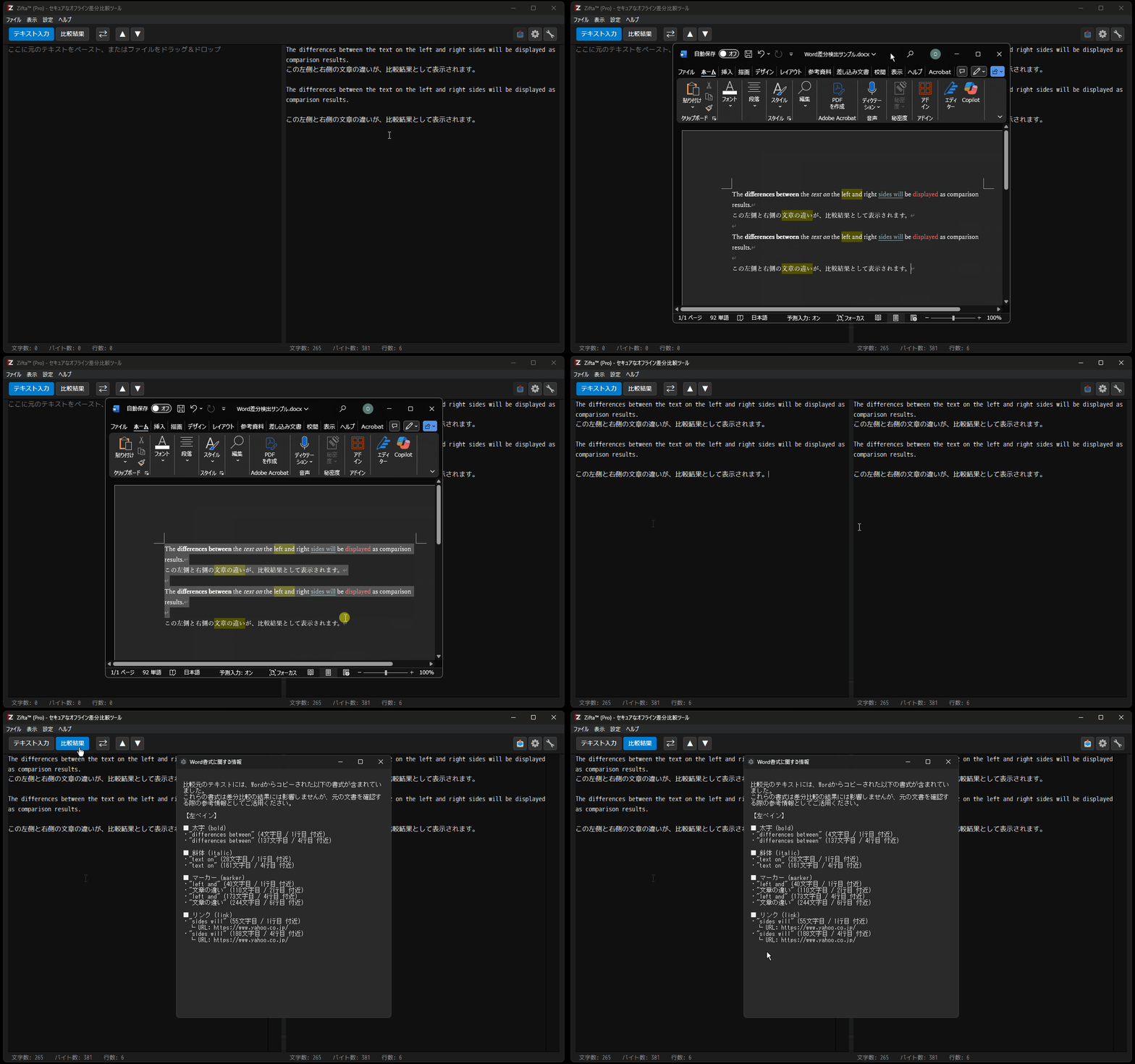
When pasting text from Word, Zifta automatically detects and lists formatting information such as "Bold", "Italic", "Highlight", and "Link" which do not appear in standard text diffs.
The detected information is displayed in a separate window, helping to prevent fatal transcription errors and missed style applications in web production. This is a powerful feature unique to Zifta that visualizes invisible information.
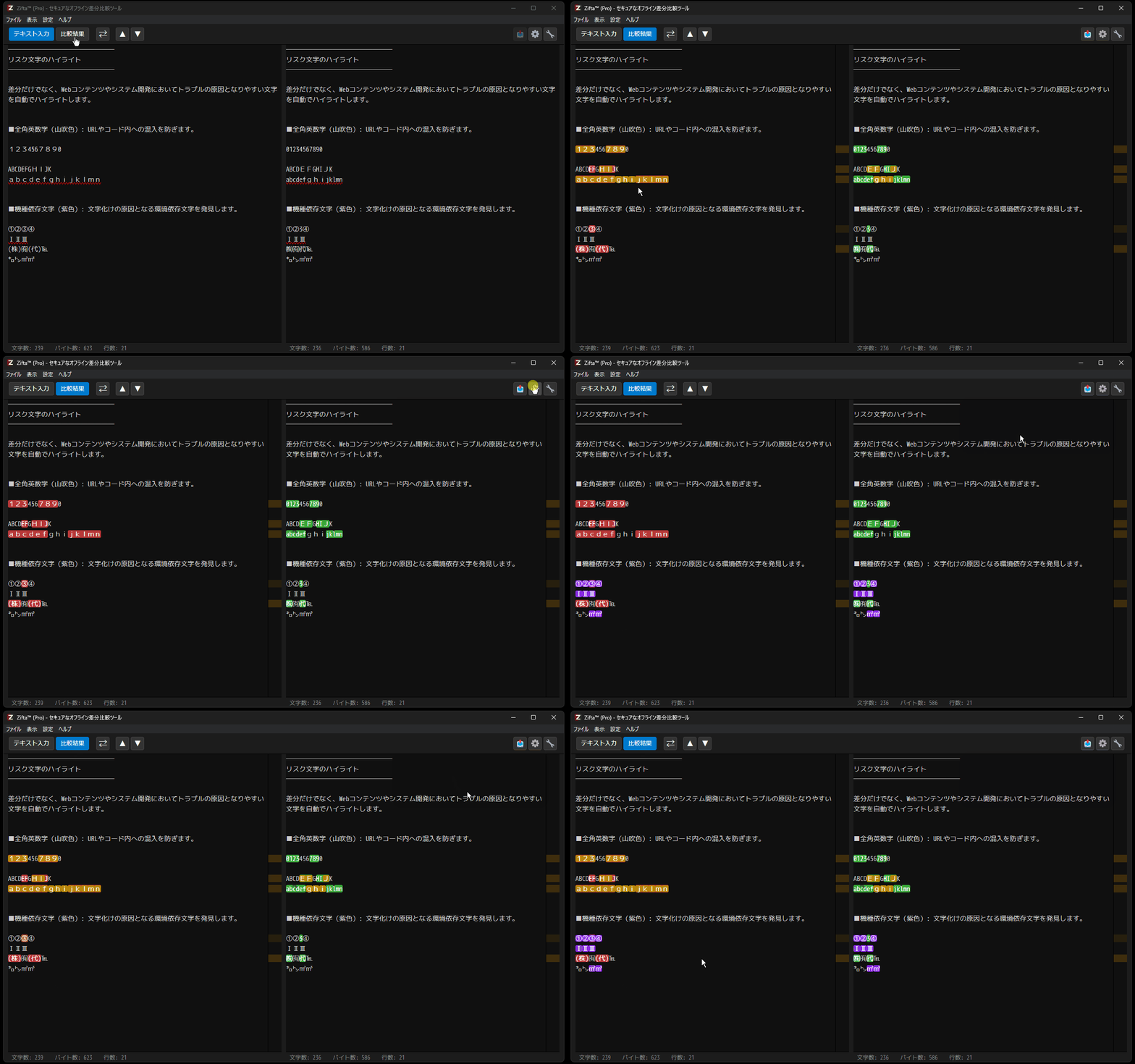
In addition to differences, Zifta automatically highlights characters that often cause trouble in web content and system development.
- Full-width Alphanumerics (Gold): Prevents accidental mixing into URLs or code.
- Platform-dependent Characters (Purple): Detects environment-dependent characters that cause garbled text.
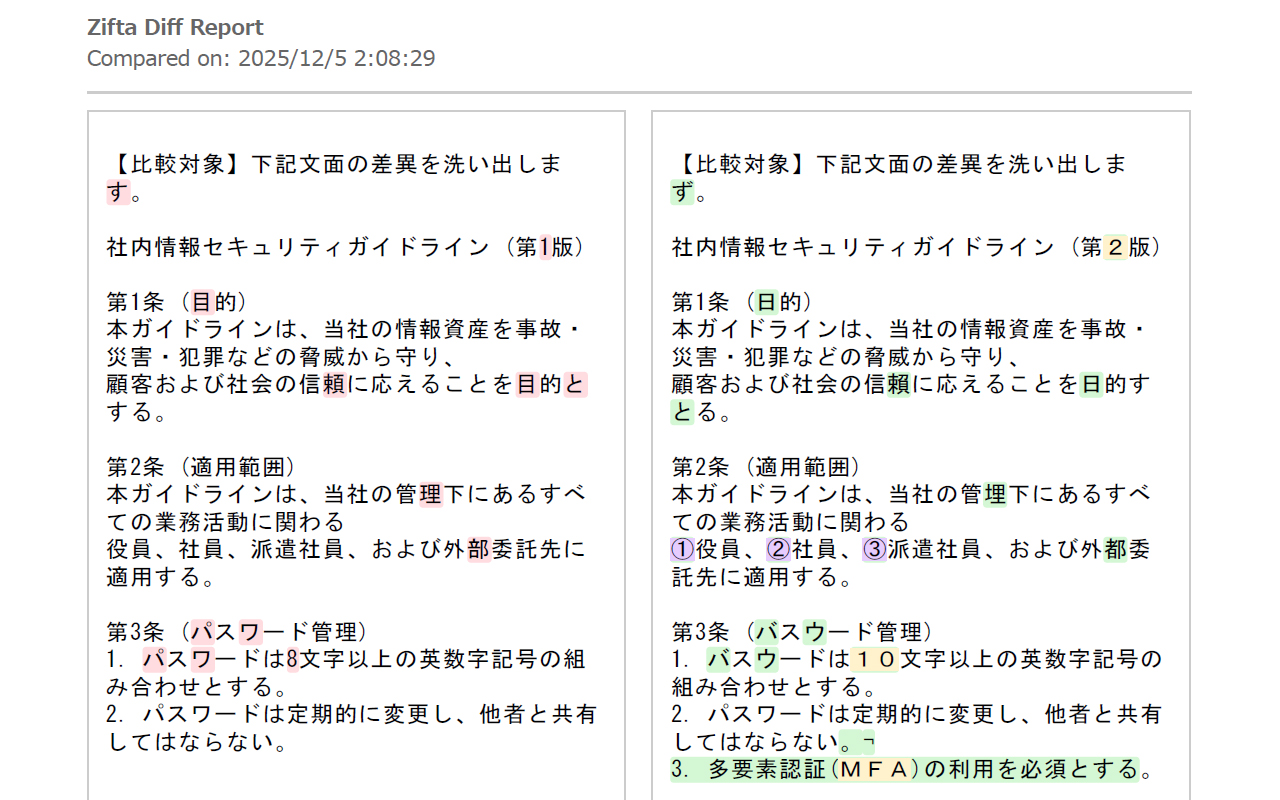
You can export comparison results in a formatted PDF/HTML format ready for business submission. Titles and dates are in the header, and page numbers are automatically added to the footer.
Share it as evidence of corrections or as material for team reviews, exactly as it appears on the screen.
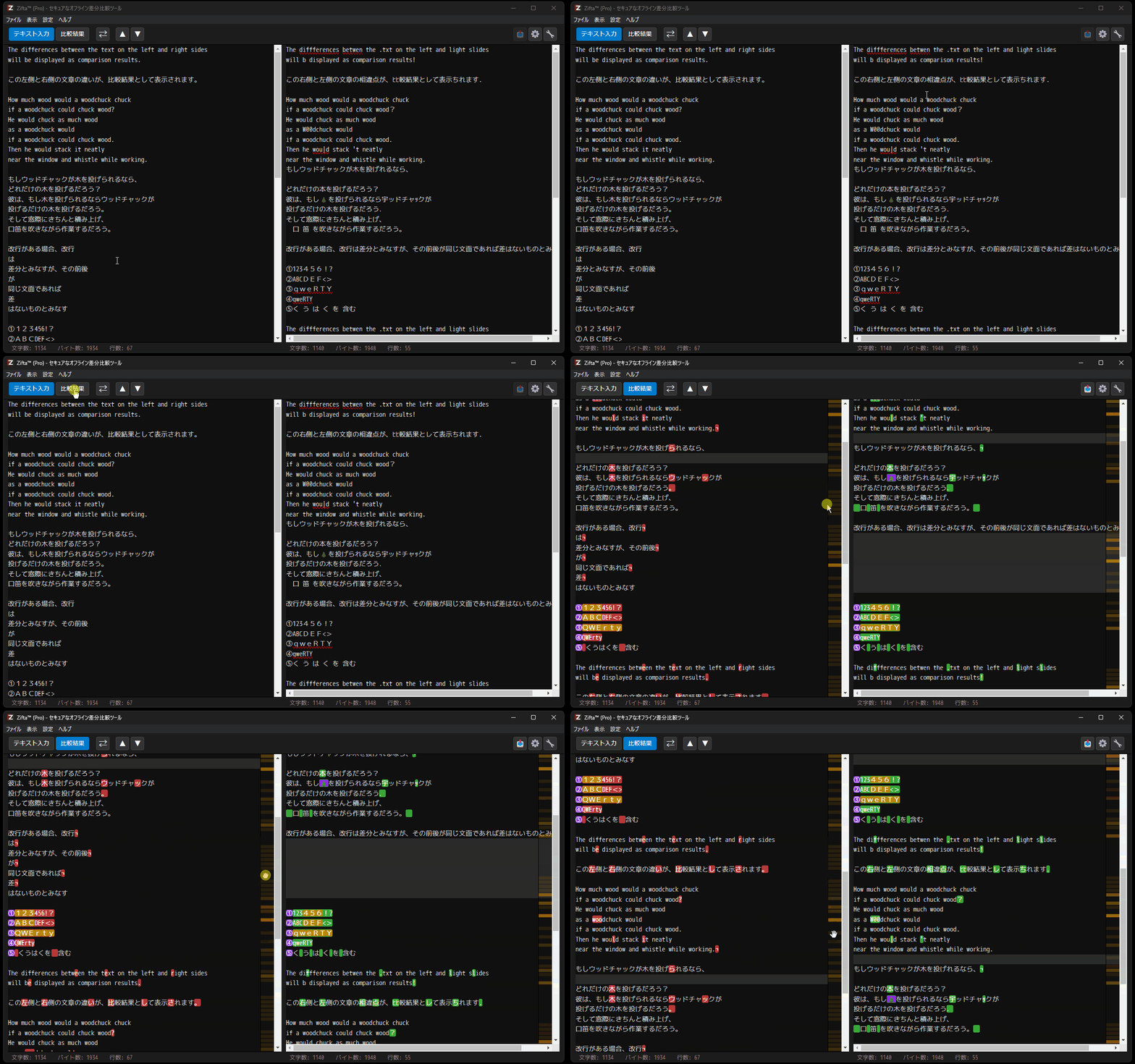
Get a bird's-eye view of the entire difference distribution, even for thousands of lines of source code or long documents.
Clicking on the color bar on the minimap instantly scrolls to that position. Dragging to scroll is also supported, allowing you to access the target diff without getting lost.
At the heart of Zifta is a unique "2-pass alignment algorithm". Instead of just comparing from top to bottom, it analyzes the structure of the entire document to find the optimal alignment.
It is not confused by line break shifts or trivial whitespace differences, and neatly aligns lines that humans intuitively feel are "the same".
Depending on the purpose of the comparison, you can enable options to ignore specific differences. Use this to eliminate noise and focus only on essential changes.
- Ignore Case: Treats
A and a as identical.
- Ignore Full/Half-width: Treats
1 and 1, or A and A as identical.
Use the "Up" and "Down" buttons on the toolbar to jump through diff spots one by one. Also, the "Swap Left/Right" button allows you to exchange the panes with a single click and instantly re-compare.
In addition to direct text pasting, you can instantly load text files by dragging and dropping them into the left and right panes. Loading via the file menu is also supported.
Toggle between wrapping long lines at the window width or displaying them with a horizontal scrollbar without wrapping.
Select the optimal display mode according to the content, such as "Wrap" for proofreading text and "No Wrap" for reviewing source code.
Switch between "Dark Theme" for concentration and "Light Theme" for bright environments. Font size can also be instantly enlarged or reduced with shortcut keys.
The application UI language can be switched between English and Japanese. It can be used smoothly in teams including overseas engineers or in global development environments.
This is Zifta's biggest feature. From installation to daily comparison tasks, no text data is ever sent to external servers. You can use it with peace of mind even for projects under Non-Disclosure Agreements (NDA).