
Your Data Stays on Your PC.
Refine Your Quality and Speed.
Not sending confidential data externally is the "standard" for professionals.
Zifta builds on this security with advanced features like high-precision comparison engine, Word format analysis, and a minimap.
It revolutionizes the entire production process from self-check to final review,
eliminating rework and dramatically improving team productivity.
Is it "Just Text" You're Comparing?
Three overlooked risks lurking in online diff tools.
Information Leakage Risk
Uploading undisclosed press releases, lists containing personal info, or confidential source code to external servers always carries a risk of leakage. Can you really accept that risk?
Unintended AI Training Risk
Many online services are enhancing AI features. Can you deny the risk that your compared text might be used as AI training data and potentially leveraged by competitors in the future?
Service Dependency Risk
Sudden service termination, pricing changes, server downtime. Online tools are always subject to the provider's circumstances. Should you leave your critical business processes to uncontrollable external factors?
That's why professionals choose Zifta.
Zifta is designed to be 100% offline, completing all processing within your PC.
It completely eliminates the risk of information leakage, and there is no worry about your valuable information assets being used as AI training data.
It works reliably anytime, anywhere, at your fingertips, regardless of external communication environments or service provider circumstances.
Controlling critical data entirely at your fingertips.
Zifta provides this "standard" for professionals.
Zifta Refines Your Work.
Zifta is not just a diff tool.
Developed by experts who know the production field inside out, it is packed with features essential for professional workflows.
Intelligent
Comparison Engine
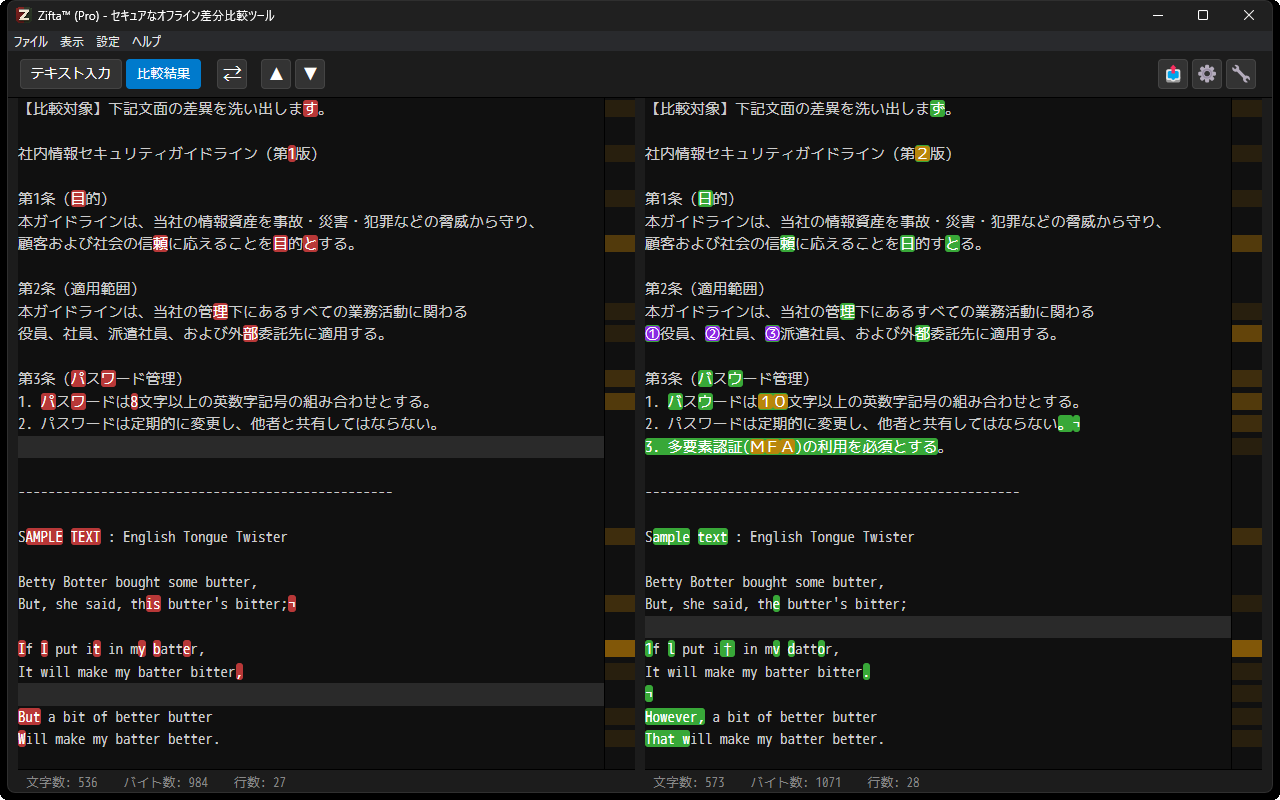
Not confused by line breaks or trivial whitespace differences. It intelligently aligns semantically corresponding lines, highlighting only the differences you really need to see.
ProMinimap for
Long Texts
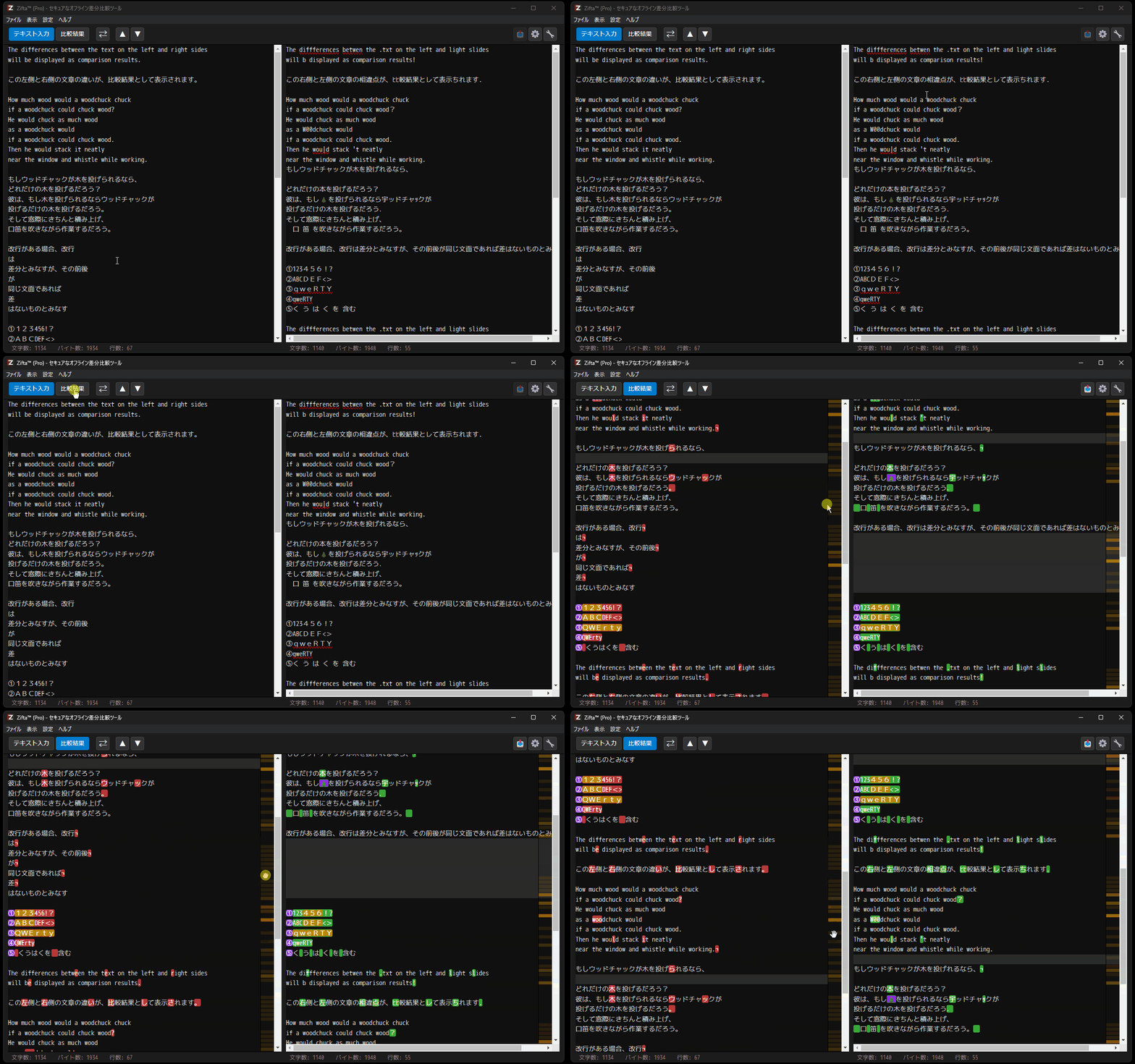
Get a bird's-eye view of differences even in thousands of lines of code or documents. Instantly jump to the target spot by clicking or dragging on the minimap.
ProEfficient Diff
Navigation
Jump to diff spots one by one with "Up/Down" buttons. Swap left and right texts with a single click. Realize smooth operation without interrupting your thoughts.
ProAuto-detect
Word Formatting
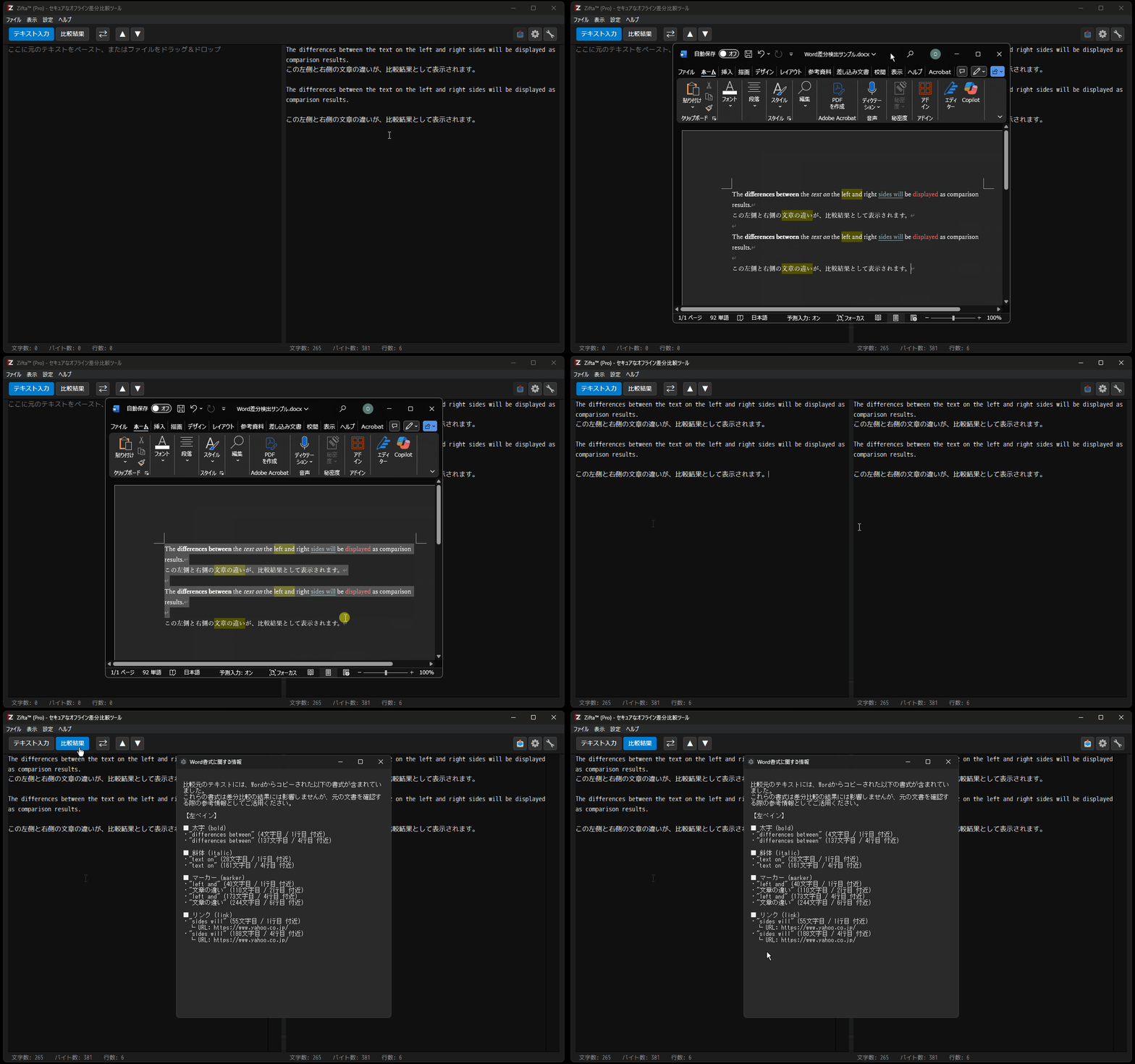
When pasting from Word, it automatically detects and lists format info like "Bold" or "Link" which doesn't appear in text diffs. Eradicates fatal transcription errors in web production.
ProRisk Character
Highlighting
Individually highlights "Full-width Alphanumerics" and "Platform-dependent characters" that often cause trouble in web contents. Visualizes "invisible risks" and boosts quality.
ProProfessional
Report Output
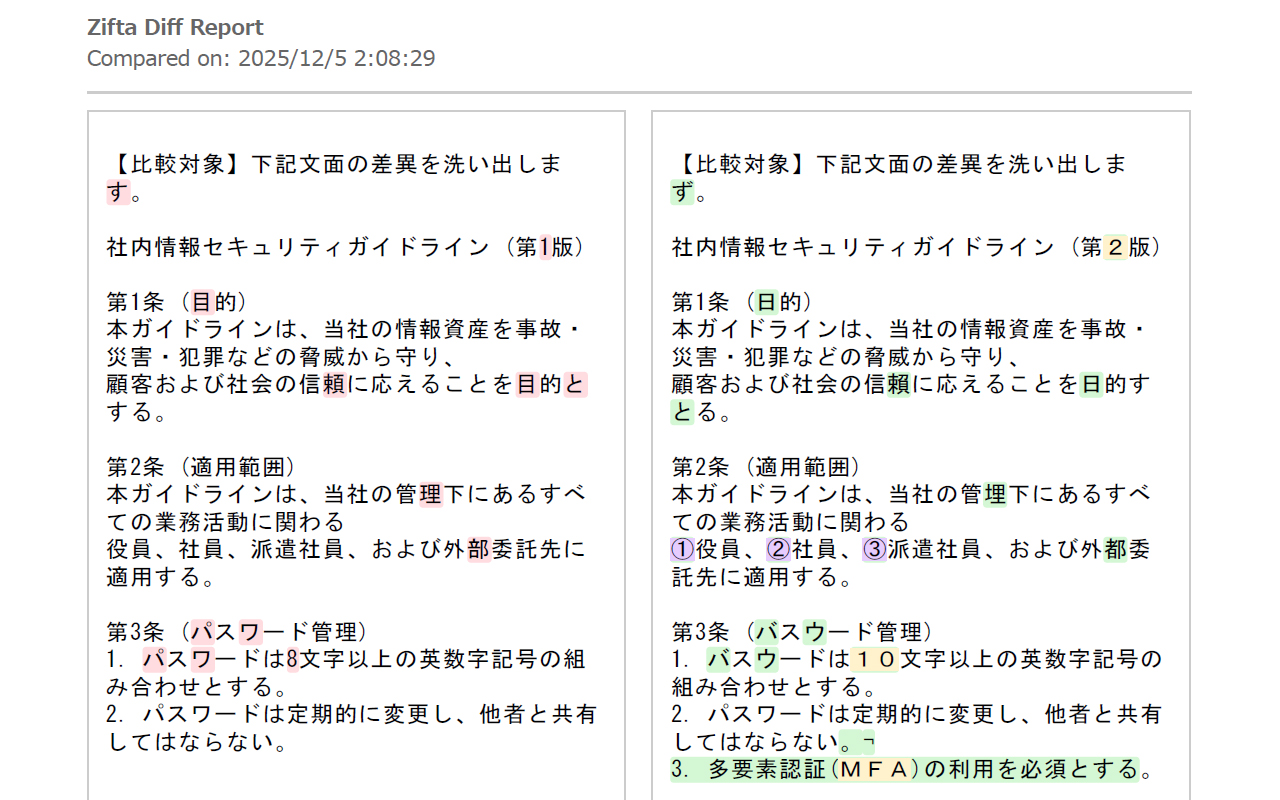
Export comparison results as formatted PDF/HTML files with titles and page numbers. Use them directly as official documents for evidence of corrections.
ProFlexible Rules
Options to ignore "Case" or "Full/Half-width" differences. Remove noise according to your purpose and focus only on essential differences.
ProFile Input / D&D
Supports direct text pasting, file menu loading, and Drag & Drop to panes. Stress-free usage for any daily scenario.
ProUser-Centric UI
Switch between "Dark Theme" for concentration and "Light Theme". Font size is adjustable via shortcuts. Build the most comfortable environment for you.
Make Zifta Your Best Tool.
You can experience basic diff comparison and security with the Free version.
Upgrading to Pro unlocks all intelligent features that dramatically improve your work quality and productivity, as well as removing character limits.
3 Steps to Upgrade
Check Machine ID
Launch Zifta and copy the Machine ID
from the "Activate License" menu.
Purchase License
After payment, you will receive an email.
Reply to that email with your Machine ID.
Activate
We will issue a license key within 24h.
Enter it in the app to unlock Pro features.
For Business & Volume Licensing
We offer volume discounts for teams considering 5 or more licenses.
We can also propose flexible options such as invoice payments and bulk delivery of license keys.
Please feel free to contact us.
FAQ
Why choose Zifta? How is it different from online tools?
Online tools are convenient but carry the risk of information leakage as data is sent to external servers. Especially recently, the risk of your valuable information being used as AI training data cannot be ignored. Zifta is a 100% offline design where all processing is completed on your PC. It is a professional choice that cuts off security risks and keeps your data completely under your control.
Is the license a subscription?
No. The Pro version license is a "perpetual license" (one-time purchase). There are no monthly or annual fees. However, we may offer paid upgrades for future major version updates (e.g., v3.0.0).
How many PCs can I use with one license?
One Pro version license key can be used on one PC. If you want to use it on two PCs, you need to purchase two licenses.
Can I transfer the license if I replace my PC?
Yes, it is possible. If you need to transfer the license due to unavoidable reasons such as PC replacement or failure, please contact our support. We will verify the situation and reissue a license key corresponding to the new Machine ID.
How do I update the software?
Since Zifta prioritizes security and privacy with a 100% offline design, it does not have an automatic update feature. Please manually update using the following steps:
- Download the latest installer or portable version from the official website.
- Run the downloaded file (for installer) or overwrite the existing file (for portable).
Latest version info can be checked on the Changelog page.
Is there a difference in comparison engine performance between Free and Pro?
No. The high-precision comparison engine, the heart of Zifta, is exactly the same in both Free and Pro versions. Please experience Zifta's intelligent comparison performance and absolute security with the Free version first.
Is there a macOS version?
The macOS version is currently under development. We are preparing to deliver stable quality, so please wait a little longer. Release information will be announced on the official website.